InstaTrackfor Instagram
In developmentSee who unfollowed you and who doesn’t follow you back, and export your followers to Excel.
Social insightsPricing at launch

Watzle sends a personal message from your own WhatsApp account to each customer on your list, one by one. Schedule sends, reply automatically and see who read and replied.
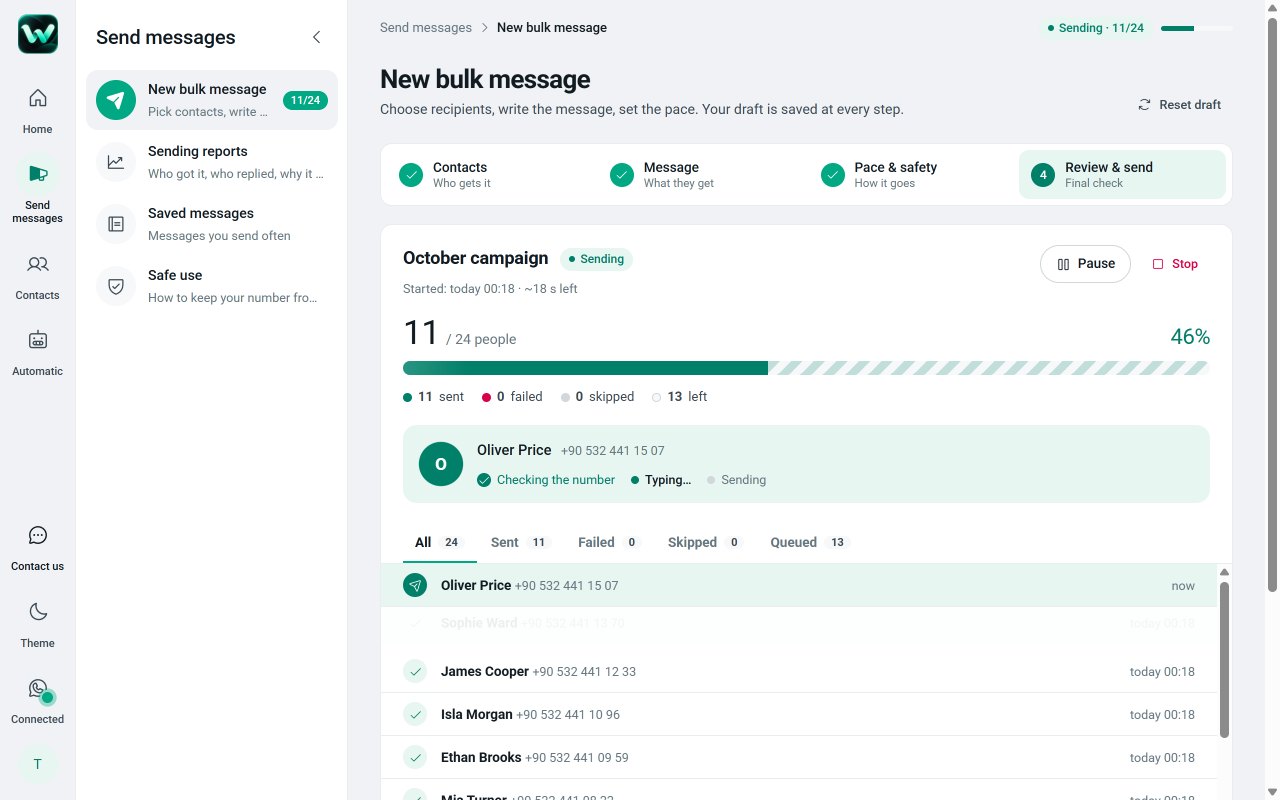
Send, follow up, schedule and answer. All from the WhatsApp account your customers already know.
Write once; every customer gets a message with their own name. Watzle opens each chat in WhatsApp Web and sends it, one person at a time, with a pause you choose.
Every send gets its own report, person by person: delivered and read ticks, replies, and the reason any message did not go out.
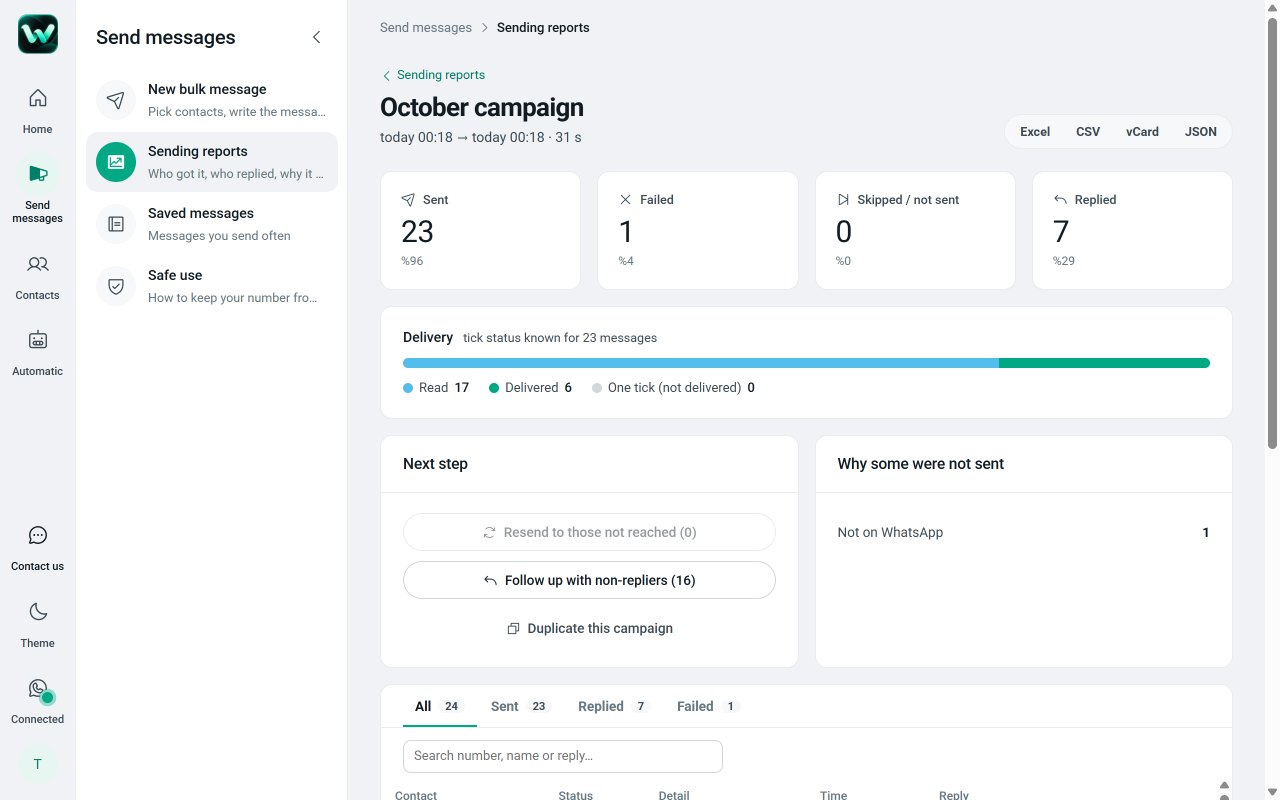
Pick a date and time, or repeat daily, weekly or monthly. Reminders and announcements go out on time, on their own.
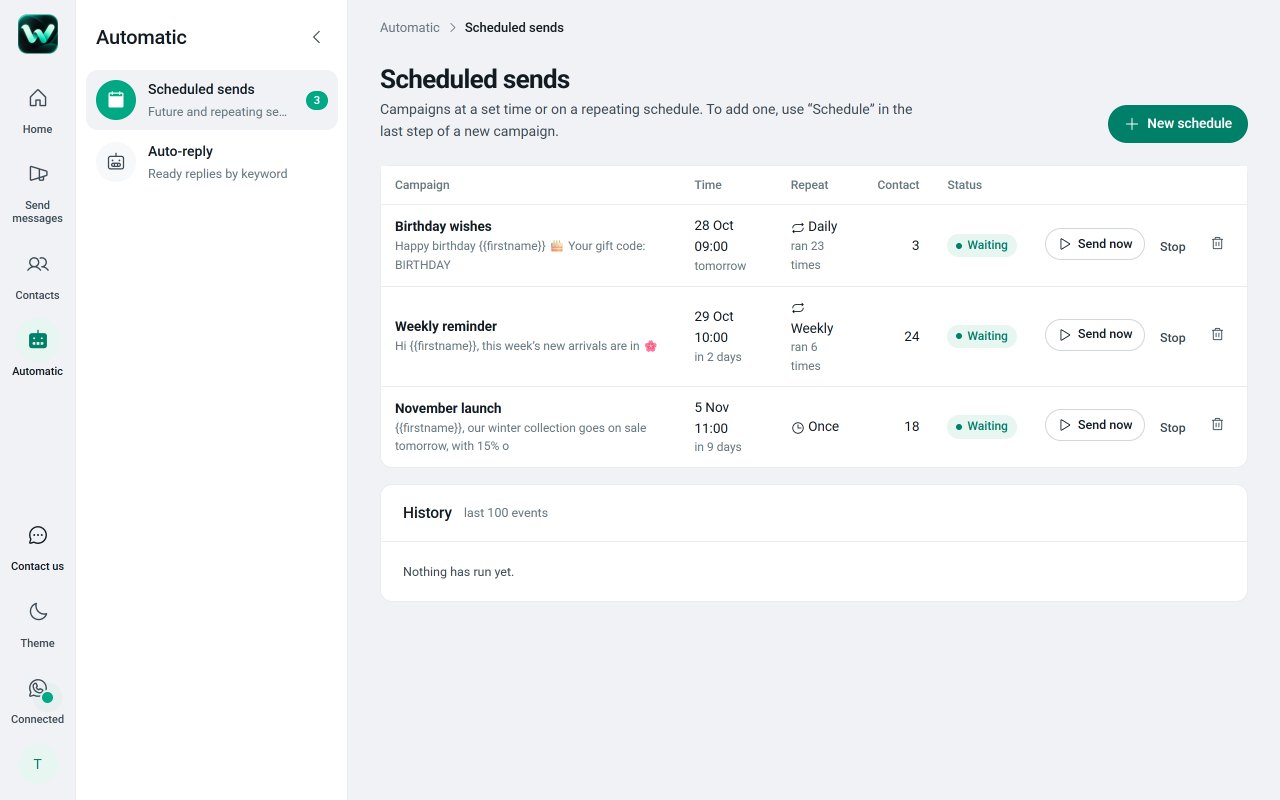
Set a keyword and a ready reply. Someone writes “price”, your price list goes out right away. Groups are never answered.
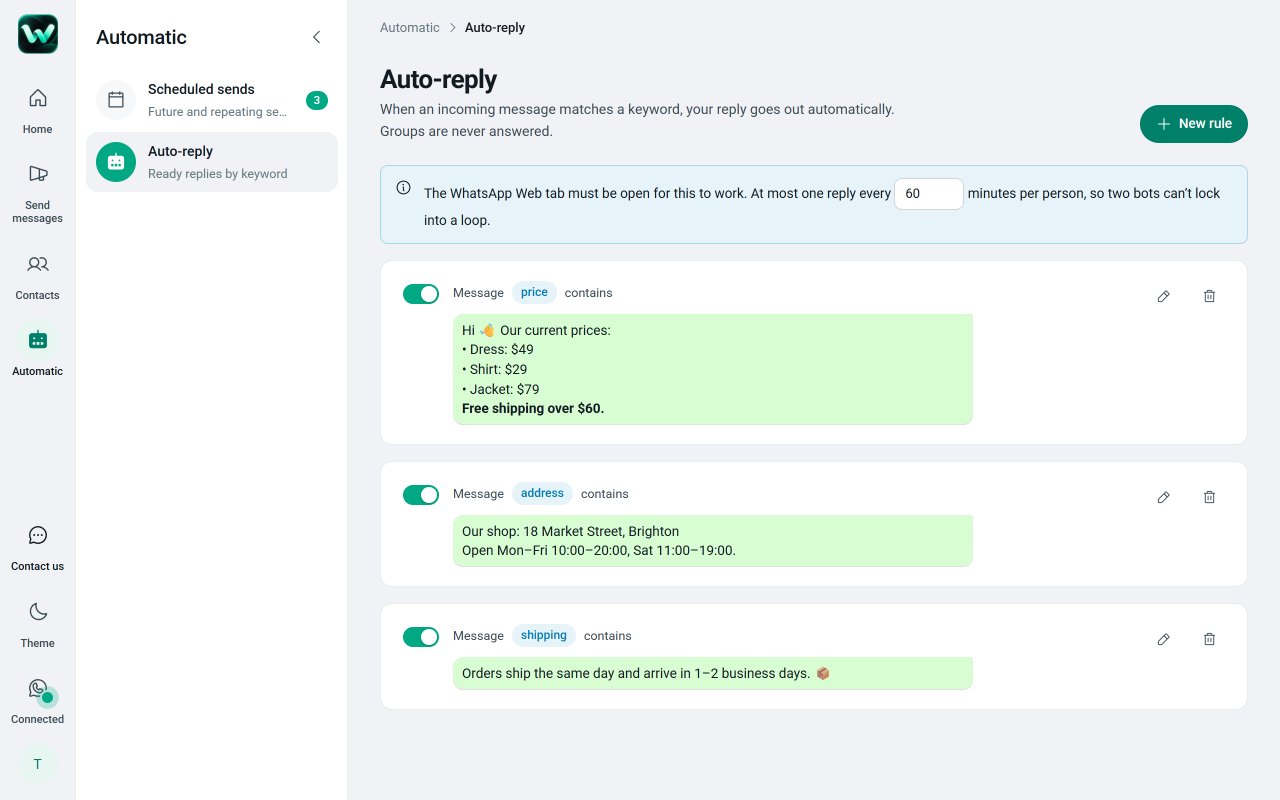
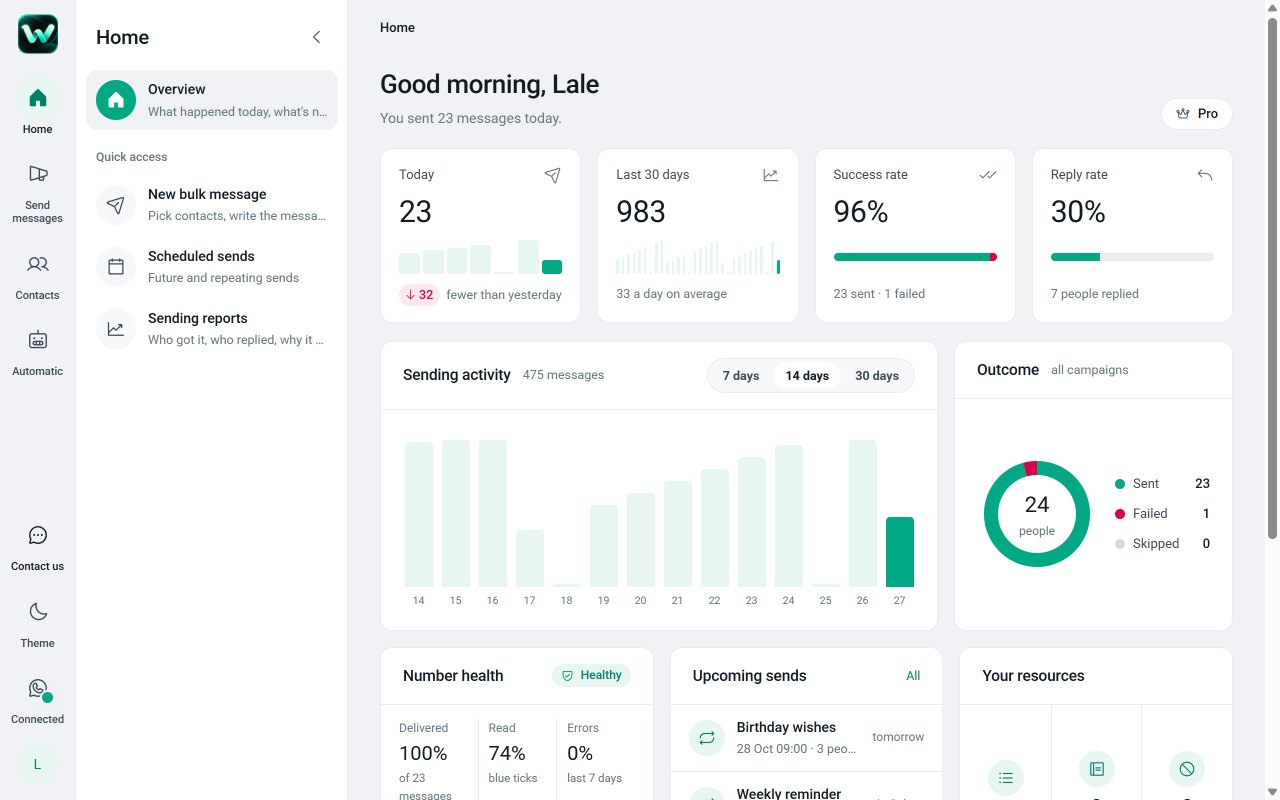
Daily totals, recent campaigns, scheduled sends and your saved lists in one place, plus contact export and chat backup.
Add Watzle from the Chrome Web Store and sign in with Google. You start on the free plan.
Scan the QR code once. Before your first send, confirm you’ll only message people who gave you permission.
Choose recipients, write your message, check the preview and start. Watch progress and replies live.
Watzle is for businesses writing to their own customers: order and appointment updates, reminders and announcements to people who asked to hear from them.
Contact lists, messages, templates and reports are stored in your own browser and never uploaded to our servers. Watzle asks for your Google sign-in only to link your plan; our server keeps your email, name, plan and daily usage counts. Watzle works through WhatsApp Web on your computer and is not affiliated with, endorsed or sponsored by WhatsApp or Meta. Read the privacy policy.
No card, no trial clock.
$6.58 a month, billed once a year.
Watzle Pro is a separate subscription, bought inside Watzle while signed in with Google; it does not cover other Eklentio extensions. Prices in US dollars; VAT or sales tax is added at checkout where required. Payments by Paddle.com, our Merchant of Record.
Can’t find it? Use “Contact us” inside Watzle or write to support@eklentio.com.tr.
Yes. Watzle is free to install, and the free plan lets you send up to 100 messages and check up to 50 numbers a day, with no time limit. A Pro plan is available for higher volume and extra features; see pricing.
No. Watzle works with your normal WhatsApp or WhatsApp Business account signed in to WhatsApp Web. No API key, no Meta approval and no extra phone number.
Only people who gave you permission to contact them, such as your customers. Before your first send you must confirm this, and our terms forbid bought, rented or scraped number lists.
WhatsApp decides that, not us. Accounts that message strangers or receive many complaints risk restriction. Watzle sends one by one with delays, stops automatically when several messages fail, and honours opt-outs, but the safest rule is to message only people who know you.
They are added to your opt-out list automatically, and no send, including scheduled ones, will message them again.
Excel (.xlsx), CSV or numbers pasted as text. You can also use contacts or group members from your own WhatsApp account.
No. Sending, scheduling and auto-replies run in your browser, so the computer must be on with Chrome and WhatsApp Web open.
In your own browser on your computer. They are never uploaded to our servers.
Yes. Sign in with the same Google account on any computer with Chrome to use your plan there.
Open Watzle › Subscription › “Manage subscription” › Cancel. Pro stays on until the end of the paid period. See the refund policy.
Copying a message, pasting it into chat after chat and changing the name each time takes hours. Watzle does this for you inside WhatsApp Web: it opens each chat, fills in the person’s name and details from your list, and sends the message, one person at a time. You choose the pause between messages and can stop at any moment.
Shops, salons, clinics, tutors, event organisers and other small businesses that already talk to their customers on WhatsApp. Typical uses are order and delivery updates, appointment reminders, new-arrival announcements to customers who asked for them, and quick answers to common questions.
Because it uses the WhatsApp account you already have. There’s no Business API to apply for, no monthly per-message fee and no extra phone number. Everything happens in your browser, so your customer list never leaves your computer.
After each send you see who received it, who read it and who replied, plus the reason any message failed. Export the report to Excel, follow up with people who didn’t reply, or resend to those who weren’t reached.
Watzle is meant for people who know you. Before the first send you confirm that recipients gave you permission, opt-out replies are honoured automatically, and the free plan has daily limits. Messaging strangers or using bought lists breaks our terms and WhatsApp’s policies, and accounts linked to spam are suspended.
Personal messages, scheduling and auto-replies for WhatsApp Web. Free to install, works with WhatsApp Web, no API key, English & Turkish.
See who unfollowed you and who doesn’t follow you back, and export your followers to Excel.
Personal messages to your Telegram contacts, with scheduling, keyword auto-replies and reports.
Export WhatsApp chats with photos and voice notes to PDF, Excel or HTML in one click.
Track your TikTok followers and following, spot unfollowers and export the lists to Excel.
Every new extension gets its own page, its own free plan and its own price. Tell us which website wastes your time.